
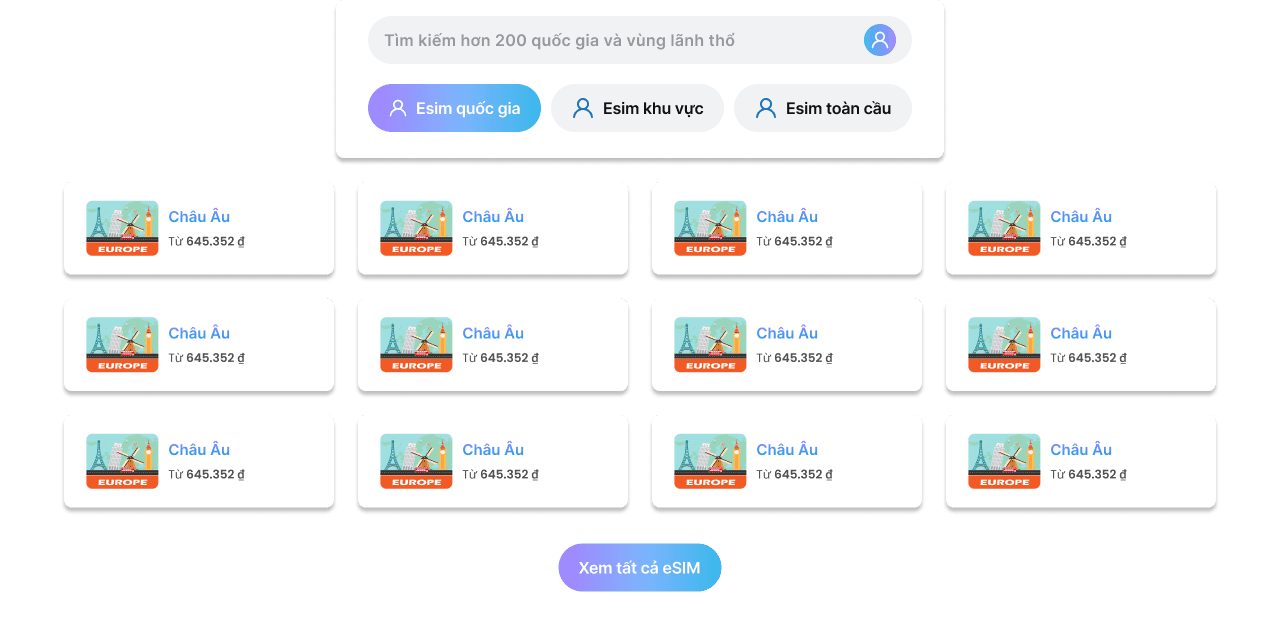
North America
Verified inventory
In Stock

North America

1 GB - 7 Days

NORTHAMERI-1GB7DAYS-3284612
$6.50$6.50

2 GB - 15 Days

NORTHAMERI-2GB15DAYS-3284613
$12.00$12.00

3 GB - 30 Days

NORTHAMERI-3GB30DAYS-3284614
$17.00$17.00

5 GB - 30 Days

NORTHAMERI-5GB30DAYS-3284615
$25.50$25.50

10 GB - 30 Days

NORTHAMERI-10GB30DAYS-3284616
$46.00$46.00

Selected option

1 GB - 7 Days

$6.50$6.50
Limited stock! 5412 people are viewing this and 2346 purchased it.
Official Store PartnerSecure Checkout
Instant Digital Delivery

Get your code immediately after checkout with 24/7 automation.

Trusted Seller

Secure payment processing and 5-star rated customer experiences.

Global Coverage

Worldwide catalogue with region-ready gift cards and game keys.

Why choose Fast eSIM?
Unlimited data

Unlimited data

Travel freely with unlimited data, stay connected everywhere.
100% refund

100% refund

As promised: refund if anything goes wrong.
24/7 support

24/7 support

We’re with you anytime, resolving issues fast.
Fast & stable internet

Fast & stable internet

High-quality connection for a smooth experience.

eSIM device support

eSIM device support

Compatible with iOS & Android, easy activation.
200+ destinations

200+ destinations

Worldwide coverage for every trip.

Frequently Asked Questions (FAQs)

Find helpful information to answer your questions

What is an eSIM?

eSIM (embedded SIM) is a digital SIM that can be installed directly on your smartphone or other mobile devices. It replaces the physical SIM card you are used to. To learn more about what an eSIM is and its benefits, keep reading to see how it can help you.

What should I do if I delete or lose the eSIM QR code?

If you can’t find the code, please contact our 24/7 customer support team at help@.com or via live chat. We will resend the code to you by email.

Do I need to turn on data roaming on my device?

Yes. To ensure the best coverage for your eSIM, you must enable data roaming in your phone settings. This will not incur additional charges as long as your eSIM is set up correctly.

What speed will I get with eSIM?

With our eSIM, you can connect at 4G, LTE, and 5G speeds like any local data line. However, in remote or low-coverage areas, your phone may connect at lower speeds.

Can I keep my WhatsApp number?

Yes, you will keep your WhatsApp number along with all your chats and contacts. You can use it as usual.

When will I receive the eSIM?

After you pay, we will send the eSIM to the email you entered during checkout. Say goodbye to waiting for a physical SIM in the mail.

Which smartphones support eSIM?

Since the iPhone 14 launched without a physical SIM slot, eSIM has become increasingly common. Many compatible phones, including Samsung Galaxy, iPhone models like iPhone XS Max, Google devices, OPPO, and more, support eSIM.

Can I make calls and send SMS with eSIM?

Unfortunately, you cannot make calls, send SMS, or receive SMS. However, with eSIM data you can continue using messaging apps like WhatsApp or iMessage.

How can I get a refund?

We understand that unexpected events can happen after purchase. Therefore, you may request a refund in the following cases:

– You purchased an eSIM without checking compatibility with your phone.
– You canceled your trip or no longer need the eSIM.
– Our eSIMs generally work well, but if you experience connectivity issues, we may refund all or part of your payment.

Once the refund request is approved, you will receive the funds to the same account you used to pay. This process may take 5–10 business days.

For more details, terms, and conditions, please read our Refund Policy.

Can I use a SIM card and eSIM at the same time?

If you are using an Apple device, you can use your SIM and eSIM at the same time. Choose the SIM for calls and SMS, and the eSIM for mobile data. Please note that if your SIM is active, your carrier may apply data roaming charges to receive or make calls and SMS.

How do I remove the eSIM after using all data?

There is no need to remove the eSIM after you finish using it. However, if you want to, you can do so in your phone’s SIM manager.

How many times can I use my eSIM?

If needed or if you switch phones during your trip, you can transfer the eSIM. Please note that you can only transfer it to two devices—the original device and one new device. After installing it on another device, you cannot reinstall it on the original device, and you must remove the eSIM from the original device before installing it on the second device.

How do I check my remaining data balance?

To check your remaining data balance, log in to our Center using the credentials we emailed you at purchase. You can also check your balance in your device’s data settings.

When should I set up my eSIM?

You need WiFi to set up your eSIM, so we recommend installing and activating it just before departure. You can also wait until you arrive, but remember you’ll need WiFi for the setup process.

How do I set up eSIM on my device?

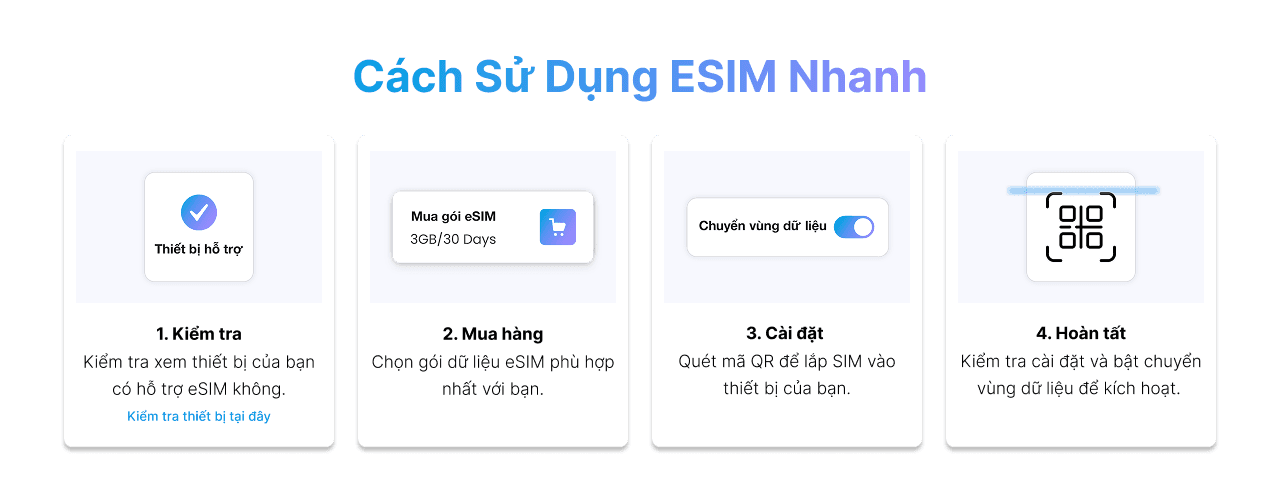
After purchase, we will email you a QR code. Print the QR code or open it on your computer. On your phone, go to Settings > Cellular/Mobile Data > Add Data Plan and scan the QR code. Your phone will let you set a specific name for the plan. You can then switch between our plan and your original carrier plan. The plan will only work once you arrive at your destination. After landing, enable data roaming in your phone settings and activate the plan. Check your phone’s user guide for more details about adding a data plan. All eSIM products come with detailed setup instructions.

Can I share data with other devices?

Some eSIMs allow this feature. Before buying, read the destination description and check whether it allows data sharing.